01 · ACCESS
Files where you need them
Sync selected file libraries across supported computers, or access documents through the web and mobile apps. Keep projects organized so your team can find the files it needs.

If you have computer problems...We Have the SOLUTIONS
Business & home IT support · South Florida (305) 442-0136 ↗
FILE STORAGE & SHARING
Bring documents together, keep everyday files in sync, and share work without endless email attachments. Computer IT Solutions helps you organize access, set up supported devices, and build a file-sharing workflow your team can use confidently.
Simplify your file sharing ↗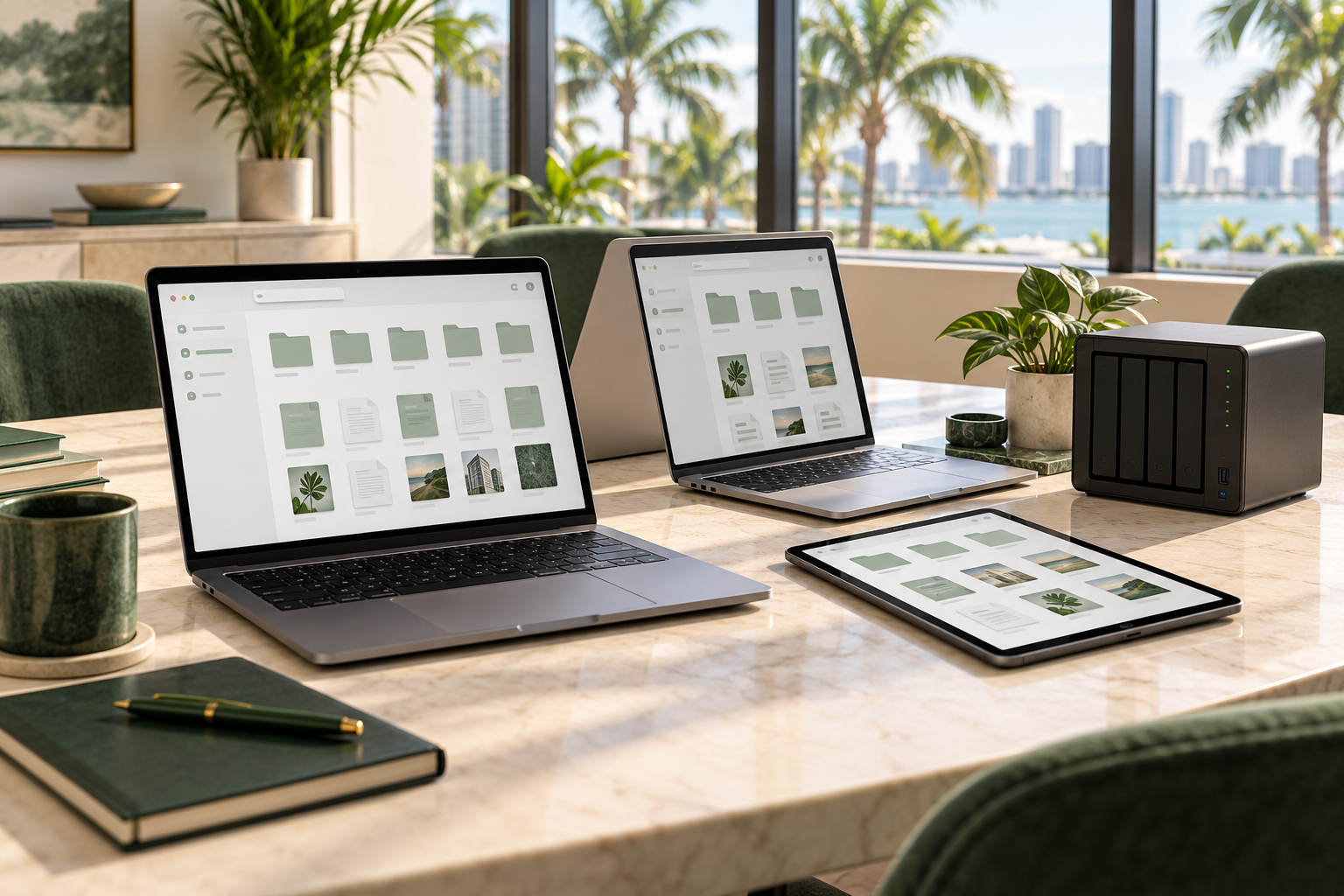
Organized files. Connected teams. A simpler working day.
ORGANIZE · ACCESS · SHARE
01 · ACCESS
Sync selected file libraries across supported computers, or access documents through the web and mobile apps. Keep projects organized so your team can find the files it needs.
02 · COLLABORATE
Share libraries with users or groups and send links instead of bulky attachments. We’ll help configure available access permissions and link protections for your workflow.
03 · RECOVER
Version history can help you return to earlier file revisions. Recovery depends on the history retained by your setup; we’ll explain retention and how it fits your backup plan.
Explore our file-sharing workspace using fictional project documents. Scroll or swipe inside each image to see more, or select its link to open the larger viewer with zoom and fullscreen controls. These are demonstrations; the pictured controls do not change any files or sharing settings.
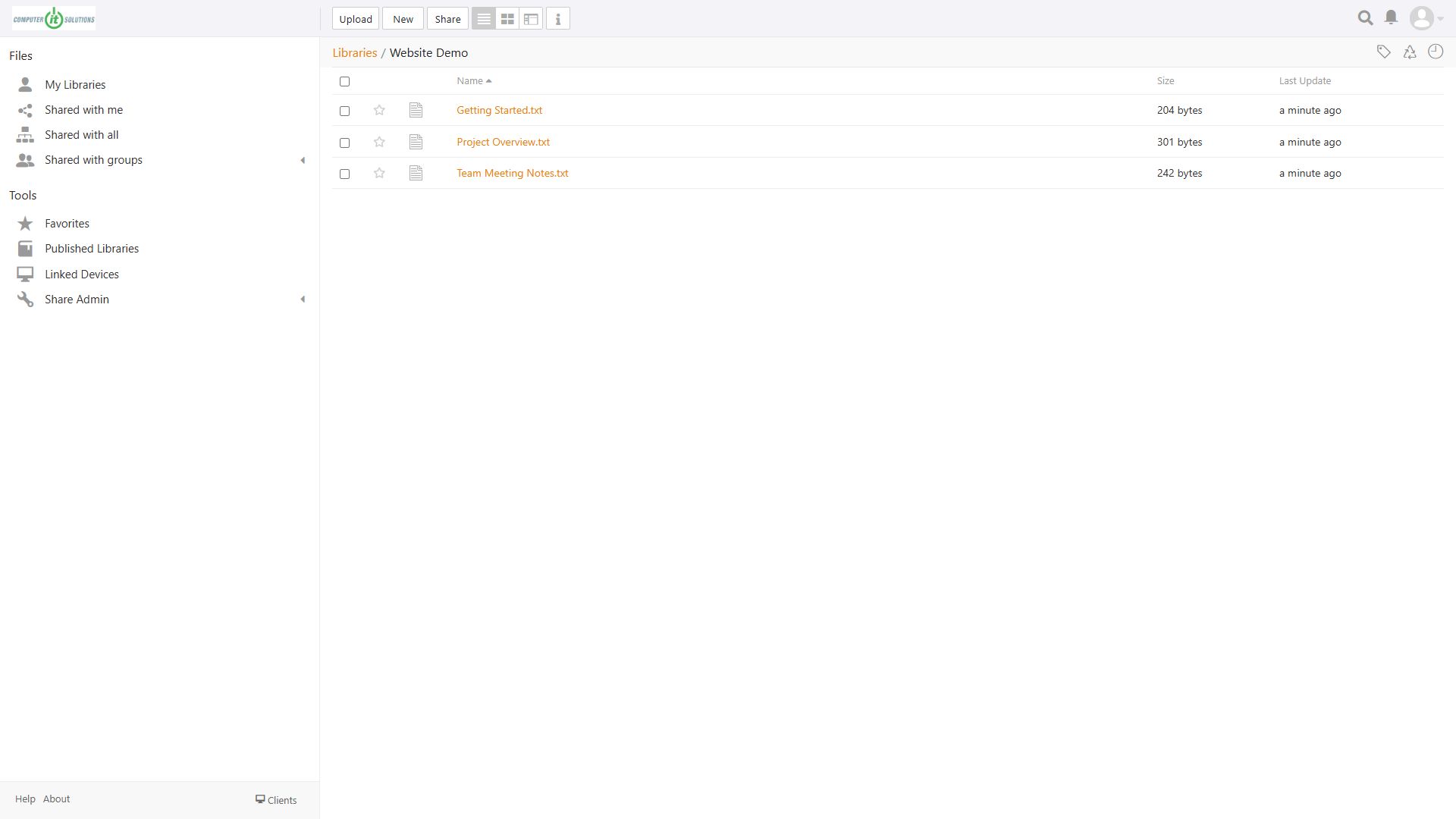
Group related documents into libraries, find the file you need, and see when it was updated. Your team can work from a clear project workspace instead of searching through email attachments.
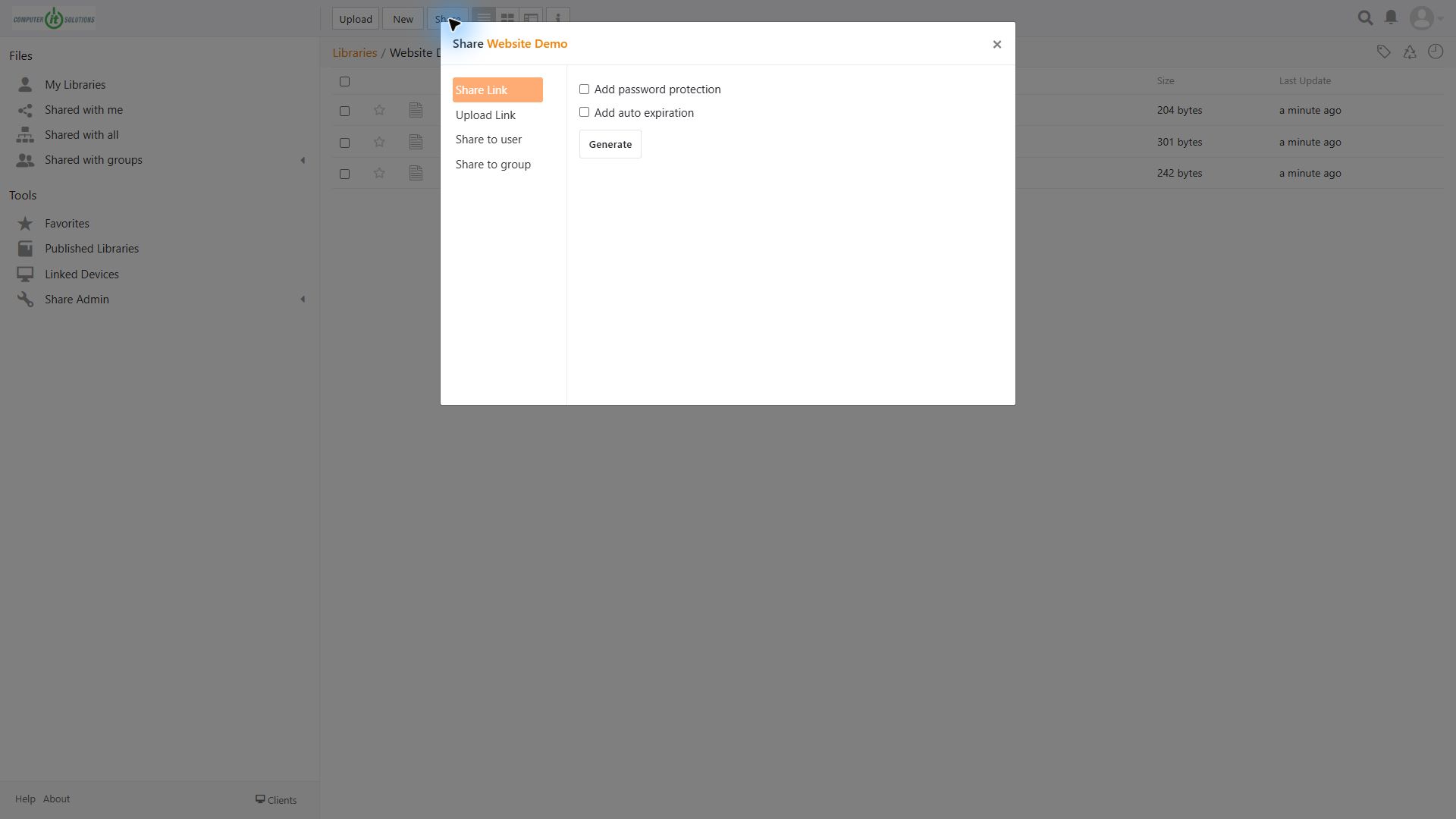
Password protection: require a password to open a shared link.
Automatic expiration: limit how long a link stays available.
Upload links: provide a way for someone to send files to you.
Users and groups: share a library with selected people or teams.
Explore the screenshot below to see where these options appear. No public link was generated for this demonstration.
We start with your people, devices, and daily workflow. Then we help organize file libraries, review who needs access, and explain synchronization and sharing.
Plan for protection, too. File synchronization is not a substitute for an independent backup. We’ll help you review retention, storage needs, and a separate backup plan before you rely on the service.
LET’S GET STARTED
Tell us how many people need access, which devices they use, and how you share files today. We’ll review the right setup and confirm available features, storage, and pricing.